 DonorForge
Community organizations
Nonprofit donor management software
Connect donor records, giving, pledges, campaigns, follow-up, and fundraising bookkeeping. Your whole team works from the same truth.
No card. Guided migration. Export anytime.
Built for Day schools · Food banks · Animal rescues · Arts organizations · Museums · Small nonprofits
One connected record
A gift becomes a receipt, donor history, campaign result, deposit, fund entry, and follow-up without being retyped.
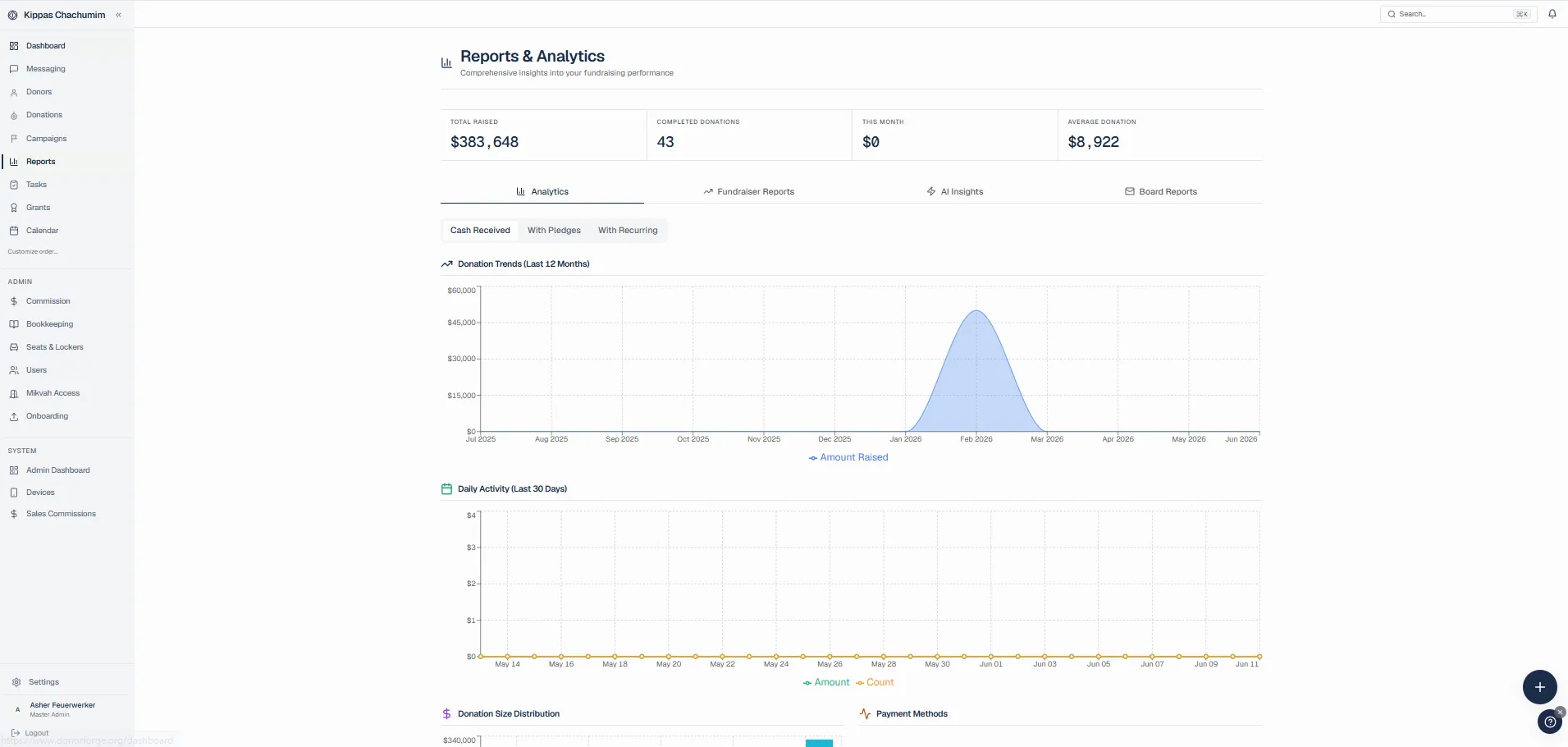
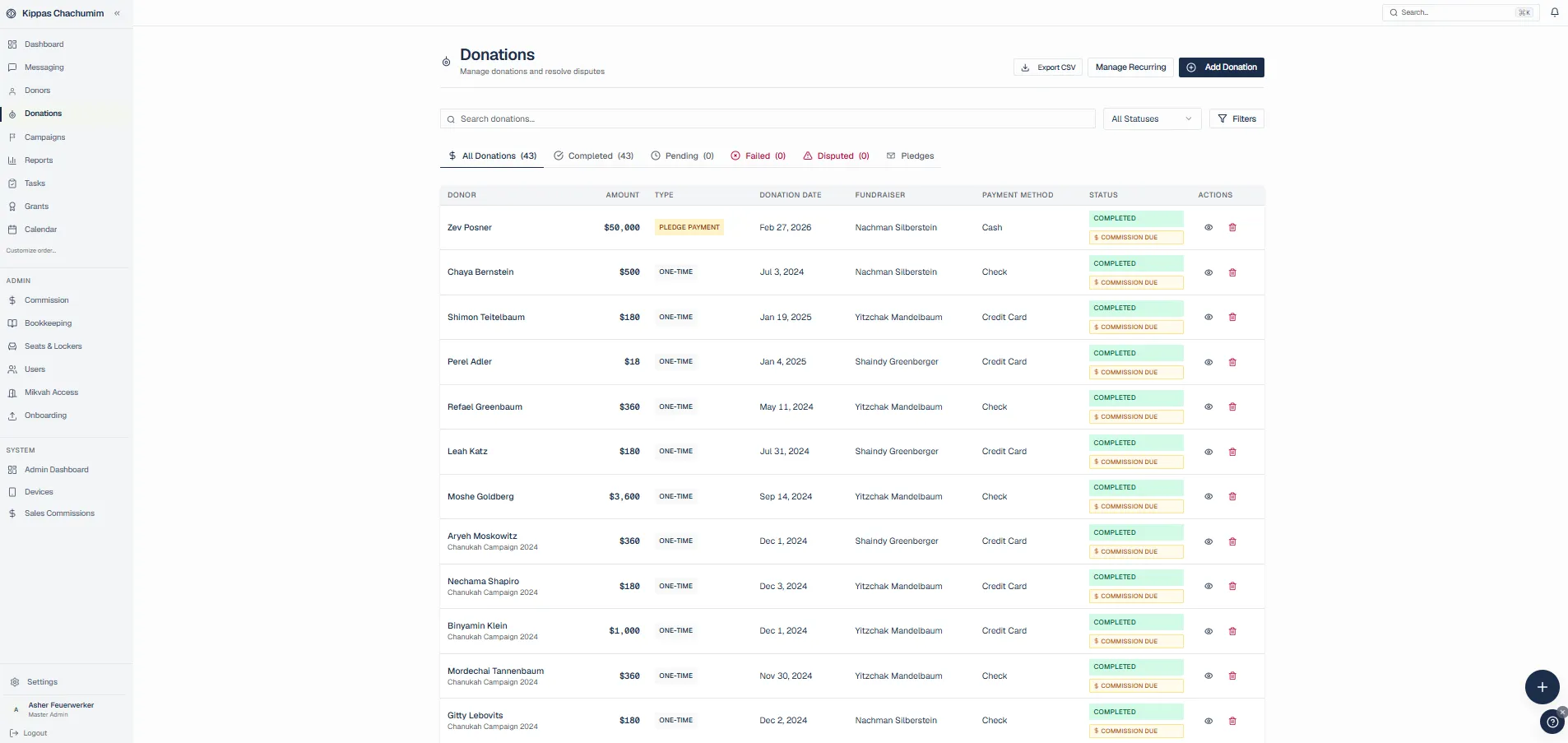
DonorForge is a nonprofit CRM that keeps donor relationships, gifts, campaigns, and fundraising operations in one place. Your team can import or add donor records, connect a payment account, publish an online donation page, and track one-time, recurring, or pledged giving. Each gift stays connected to the donor history, campaign, fund, receipt, deposit, and follow-up work it creates. Fundraisers can manage tasks and pipelines, while finance teams reconcile deposits and prepare reports without rebuilding the story in spreadsheets. Organizations can also run events, grants, team fundraising, and automated outreach from the same workspace. DonorForge includes a guided activation checklist so a new organization knows what to do first, while the optional public mini-site can be customized and shared whenever the team is ready. The result is a clearer operating record for staff and a more consistent experience for supporters.
Households, relationships, notes, giving history, custom fields, and every interaction.
Branded donation and campaign pages, embeddable forms, donor receipts, and shareable giving links.
Monthly and custom-cadence gifts with card updates, retries, and failed-payment recovery.
Track commitments, scheduled installments, balances, reminders, and pledge payments.
Team fundraising, ticketing, seating, live progress, raffles, and scratch-off campaigns.
Move prospects and donors through stages with tasks, ownership, notes, and next actions.
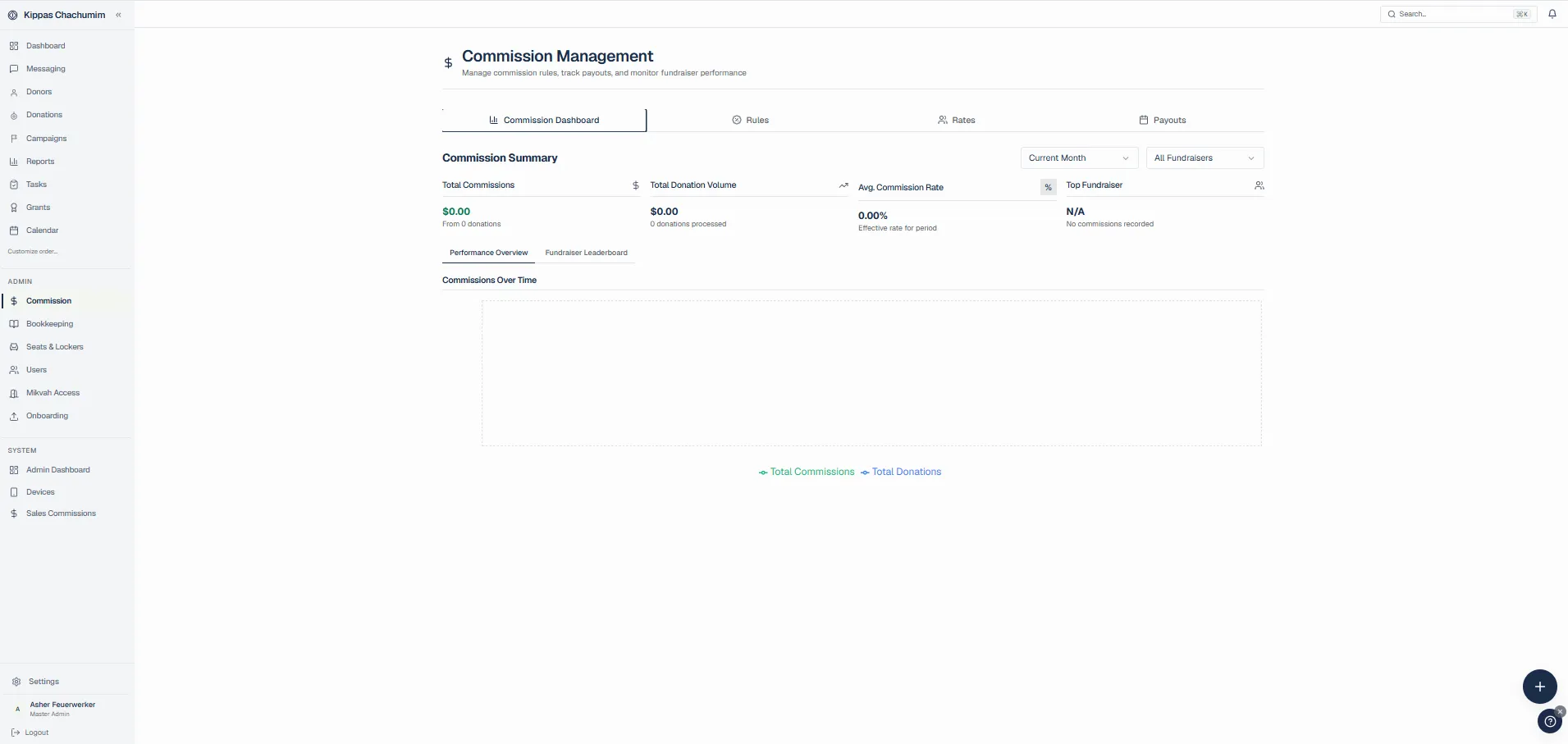
Deposits, fees, funds, reconciliation, cash flow, and board reports tied to each gift.
Understand campaign performance, retention, trends, and board-ready fundraising summaries.
Launch a shareable mini-site from three focused templates, with campaigns and your own branding.
Send receipts, thank-yous, reminders, and follow-ups from reusable automation rules.
Invite staff and fundraisers, assign work, manage commissions, and keep everyone in one workspace.
Track applications, reviews, awards, payouts, and reporting from one grant record.
Connect your own Stripe, Sola, or Banquest account so gifts settle directly to your bank.
Link accounts with Plaid and keep deposits and fundraising records traceable.
Take gifts at the lobby, dinner, or event with cellular terminals and card entry.
Let enrolled supporters give at a terminal without reaching for a card or phone.
Publish interactive seating and locker reservations with holds, pledges, and payments.
Coordinate decisions and donor work with conversations attached to your organization.
Extend DonorForge with API access, integrations, and plugin-ready workflows.
Shape lists and workflows around the fields and segments your team actually uses.
Move from signup to first donor, donation, campaign, and teammate with a clear in-app checklist.
Card to donor recordNo disconnected gateway export.
Deposit to ledgerFees and funds stay traceable.
Works with your stack
Bring payments, bank connections, donor records, and giving funds into one operating view.

Payments

Payments

Payments

Bank connections

Donor data

Giving

Giving

Giving funds
The event is over. The money still has to make sense Monday morning.
Built for the people responsible
Every total opens into the gifts behind it. Every deposit can be reconciled. Every donor interaction stays attached to the relationship.
See fundraising bookkeepingThe week in one place
See the pledge that needs a call.
Know which cards failed overnight.
Prepare the board report without rebuilding it.
Remember the donor, not just the transaction.
Explore all featuresCommunity organizations

Lean development teams
Straightforward pricing
The first 200 organizations receive Starter free. No stripped-down trial and no card required.
Start freeAnalytics · Automations · Bookkeeping · Campaigns
$295/mo
AI reports · Analytics · API access · Automations
$495/mo
AI reports · Analytics · API access · Automations
Custom
From nonprofit teams
“Our previous setup was PayPal donations, a Mailchimp list, and a Google Sheet. We migrated to DonorForge in a single weekend. Sponsor-a-pet recurring donations are up 3x because the donor self-management portal works the way donors actually expect.”
“We juggle three audiences: monetary donors, in-kind donors, and volunteers. The same grocery store used to get three thank-you letters from three different staff members. Putting them all on one record cleaned that up the first week.”
“Our box office could never tell us which subscribers were also donors. DonorForge stitched the records together on import and surfaced about 60 high-value patrons we had been treating as just ticket buyers. Two of them have since written four-figure checks.”
Questions before you move
The Free plan is ongoing. During the Founding 200 offer, eligible organizations receive Starter free, with no credit card required and no trial clock.
Yes. Import donors, gifts, pledges, notes, and household data. Validate the move before launch and keep the original export as a rollback copy.
It handles fundraising bookkeeping and reconciliation, then produces clean records for your accountant or general ledger.
Yes. Recurring plans, pledge installments, reminders, failed-payment follow-up, receipts, and balances connect to one donor record.
Yes. Choose Sola (Cardknox), Banquest, or your own Stripe account — paste your Stripe API keys and donations settle straight to your bank, with Apple Pay and Google Pay included. DonorForge adds no platform fee on top of processing.
Read the nonprofit CRM buyer’s guide, use the migration checklist, or compare donor management platforms.
Your donor data can make sense
Start free. Import when you are ready. Keep every record exportable.
Start free